
See How AYBN ERP Connects Your Entire Business
A guided walkthrough for your team: how one order becomes a delivery, an invoice, a payment, journal entries and GST data, without typing anything twice.
- See your own workflow in AYBN ERP, not a generic tour.
- Get answers on GST, stock and migration from people who know the product.
- Find out what is live today and what is upcoming, before you decide.
We use your details only to arrange the demo.
Request a demo
Four quick details, then tell us what you want to see.
One flow, from first enquiry to reports
We follow a real transaction through AYBN ERP so you can see where each step's data comes from and where it goes next.
The flow we walk through
- Lead
- Quotationnot linked yet
- Sales Order
- Delivery
- Invoice
- Payment
- Accounting
- GST
- Reports
From the sales order onwards each step builds on the last. Leads and quotations are kept in AYBN today; the order is created separately.
What the demo covers
Your order-to-payment flow
An order, a partial delivery, an invoice from the challans and the payment against it, with stock and pending quantities updating as we go.
Your books and GST
The journals each document posts, your ledgers and reports, GST reports, ITC and e-Invoice through your GSP.
Moving your data
Masters, opening stock and opening balances: what you bring from your current software and how.
Your team and roles
Who sees and changes what: role permissions per screen, stores and multiple companies.
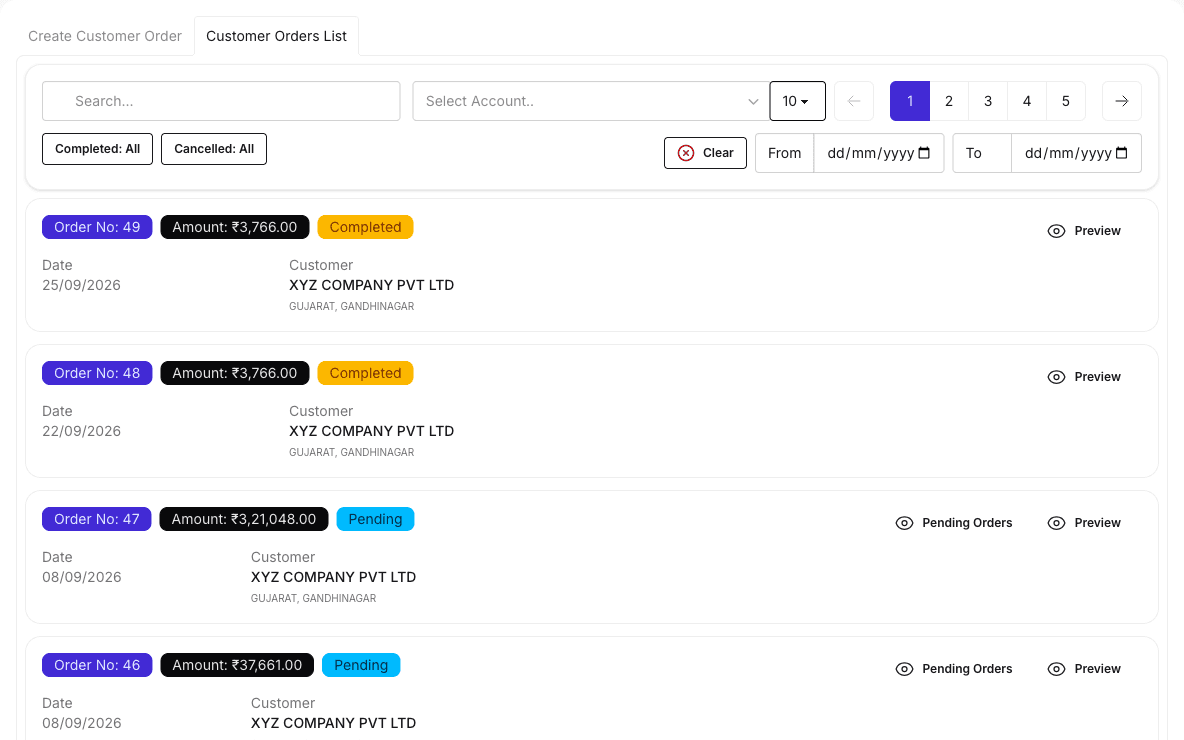
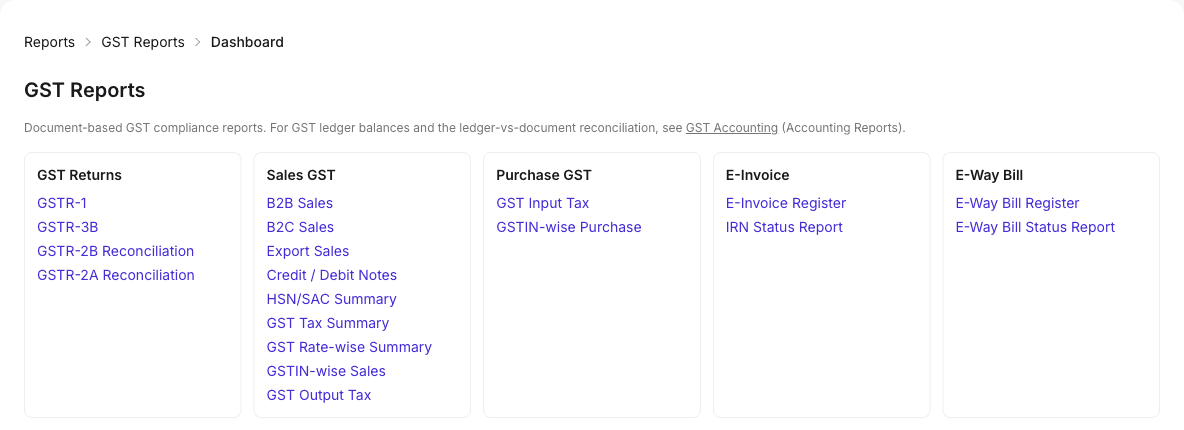
A look inside
Real AYBN ERP screens, shown with demo data.
Why see AYBN ERP before you decide
- See your own workflow in AYBN ERP, not a generic tour.
- Get answers on GST, stock and migration from people who know the product.
- Find out what is live today and what is upcoming, before you decide.
- Leave with a clear next step: a plan, a trial or a follow-up.
What happens after you submit
- We review your request
Your business type, users and the areas you want to see.
- We contact you
The sales team calls or e-mails you to agree a convenient time.
- Your demo
A guided session around your own flow, with time for questions.
- Next steps
A plan suggestion, help to start, or a follow-up for your team.
Demo questions
Can you show our own workflow?
Yes. Tell us about your business in the form (and any notes under "Add more details") and we will plan the walkthrough around it.
Can I try AYBN ERP myself instead?
Yes. Start Free creates your own account and company, and you can request a demo at any time later.
Do you cover e-Invoice and e-Way Bill?
Yes. e-Invoice and e-Way Bill run through your GST Suvidha Provider (GSP); we show how it fits into invoicing.
Will you show manufacturing or service management?
They are upcoming. Tick them in the form and we will tell you how they will work and let you know when they are ready.
Prefer to explore on your own first?
Start free with your own company, or talk to sales about plans.